Courses
Onboarding
Compliance
Sales
Analytics
Creating quiz...
Corporate LMS portal
Create courses, organize learning paths, invite learners, and track results in an LMS portal with Lesson Studio, AI quizzes, certificates, and reports.
Explore the main LMS areas and understand how training operations stay organized for administrators, instructors, learners, and managers.
A central view to track courses, paths, learners, access, and operational priorities.
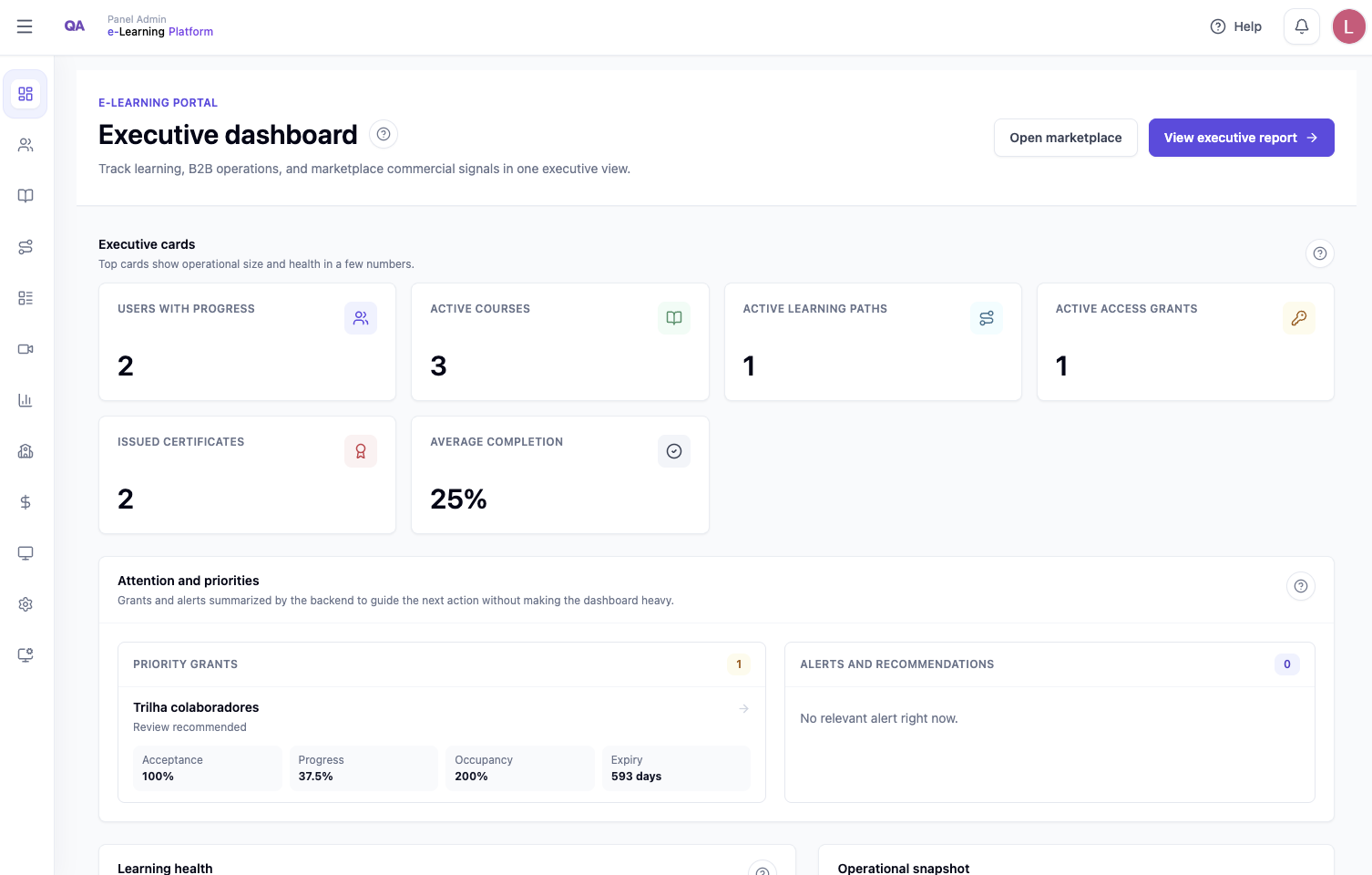
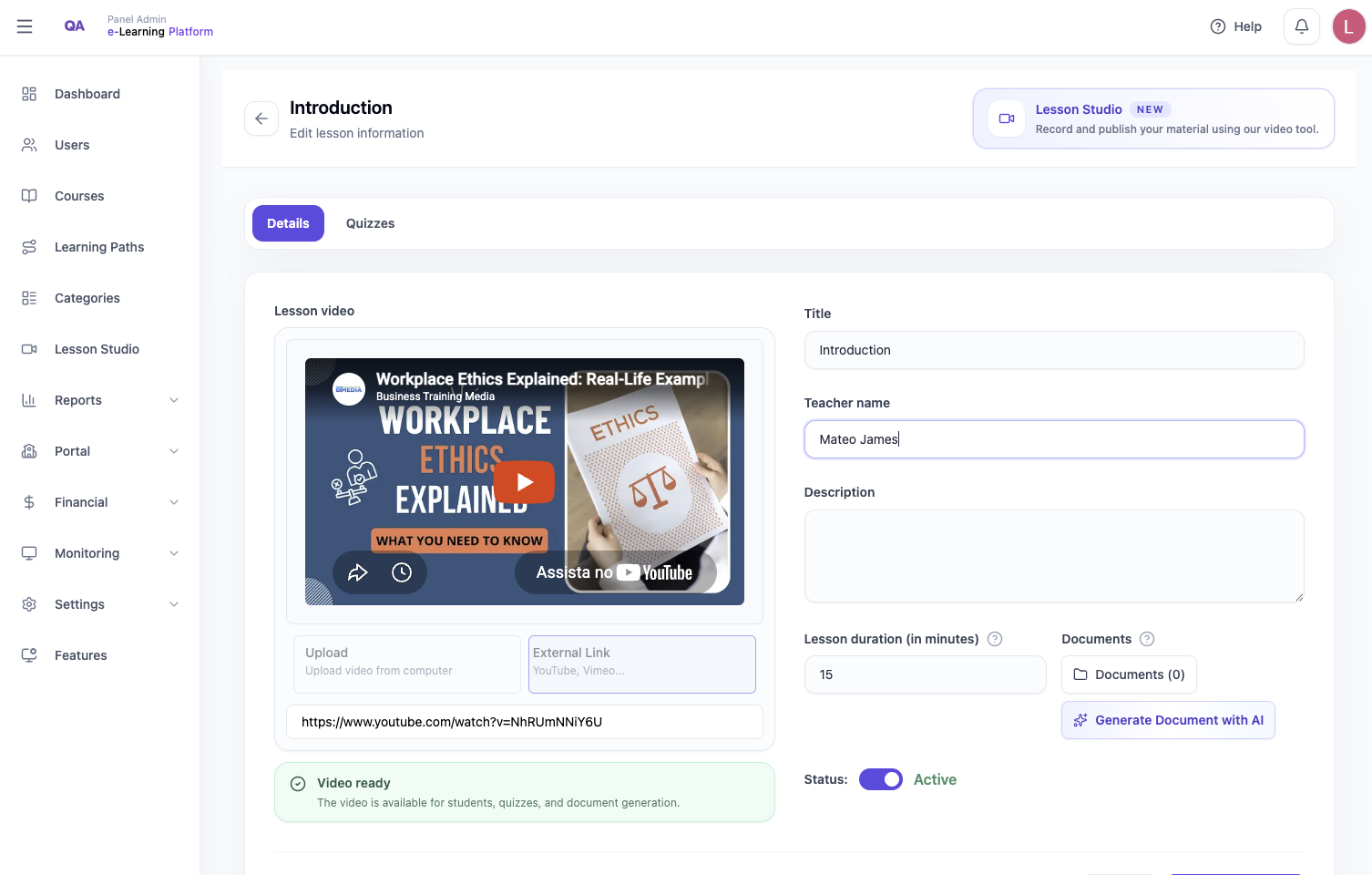
Organize courses, lessons, documents, videos, quizzes, and learning paths in a clear structure.
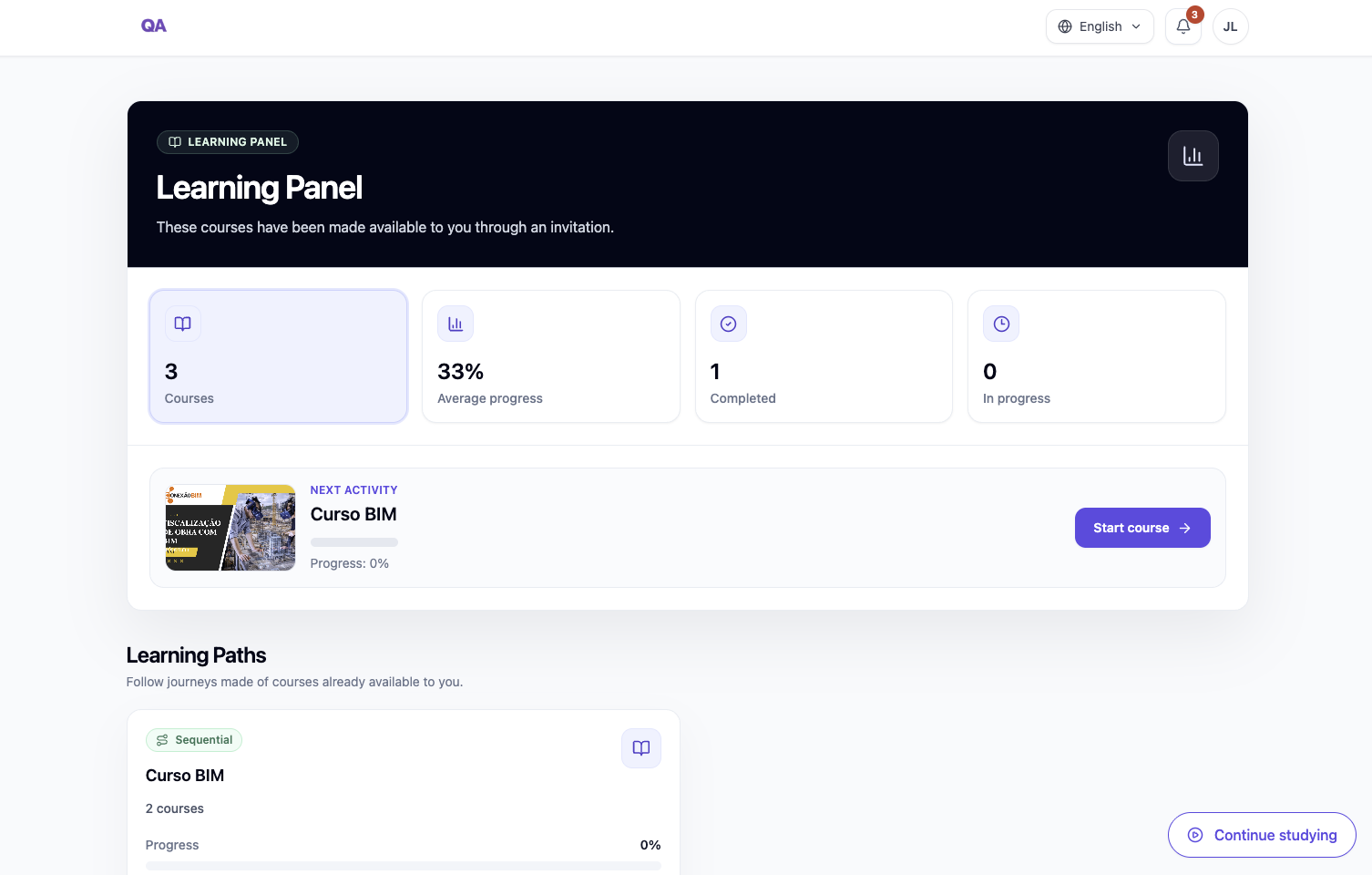
Learners find their training, study in a dedicated area, complete assessments, and follow their progress.
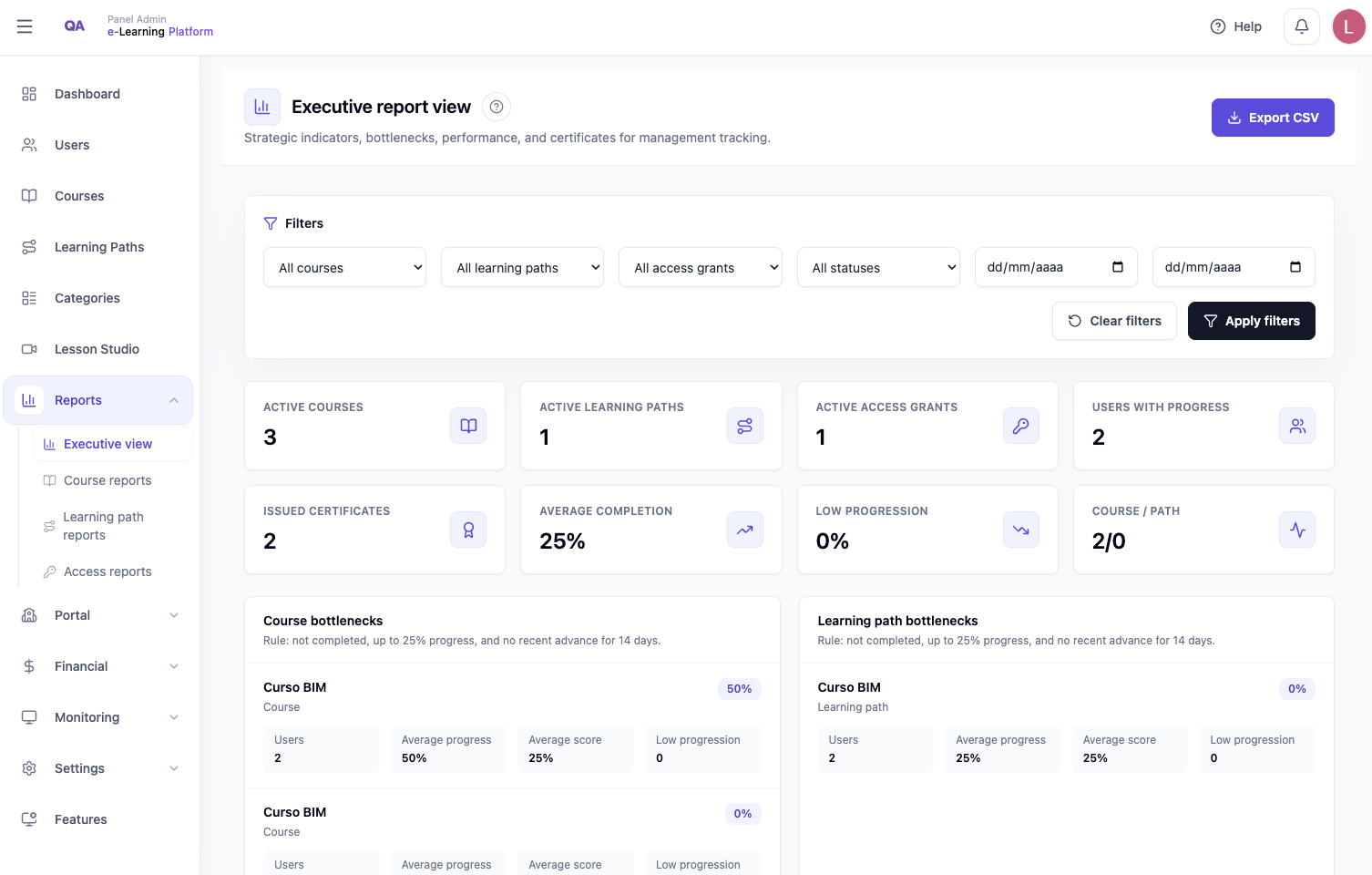
Managers track progress, completion, course performance, and important operational signals.
Completions can generate certificates with records and public validation when needed.
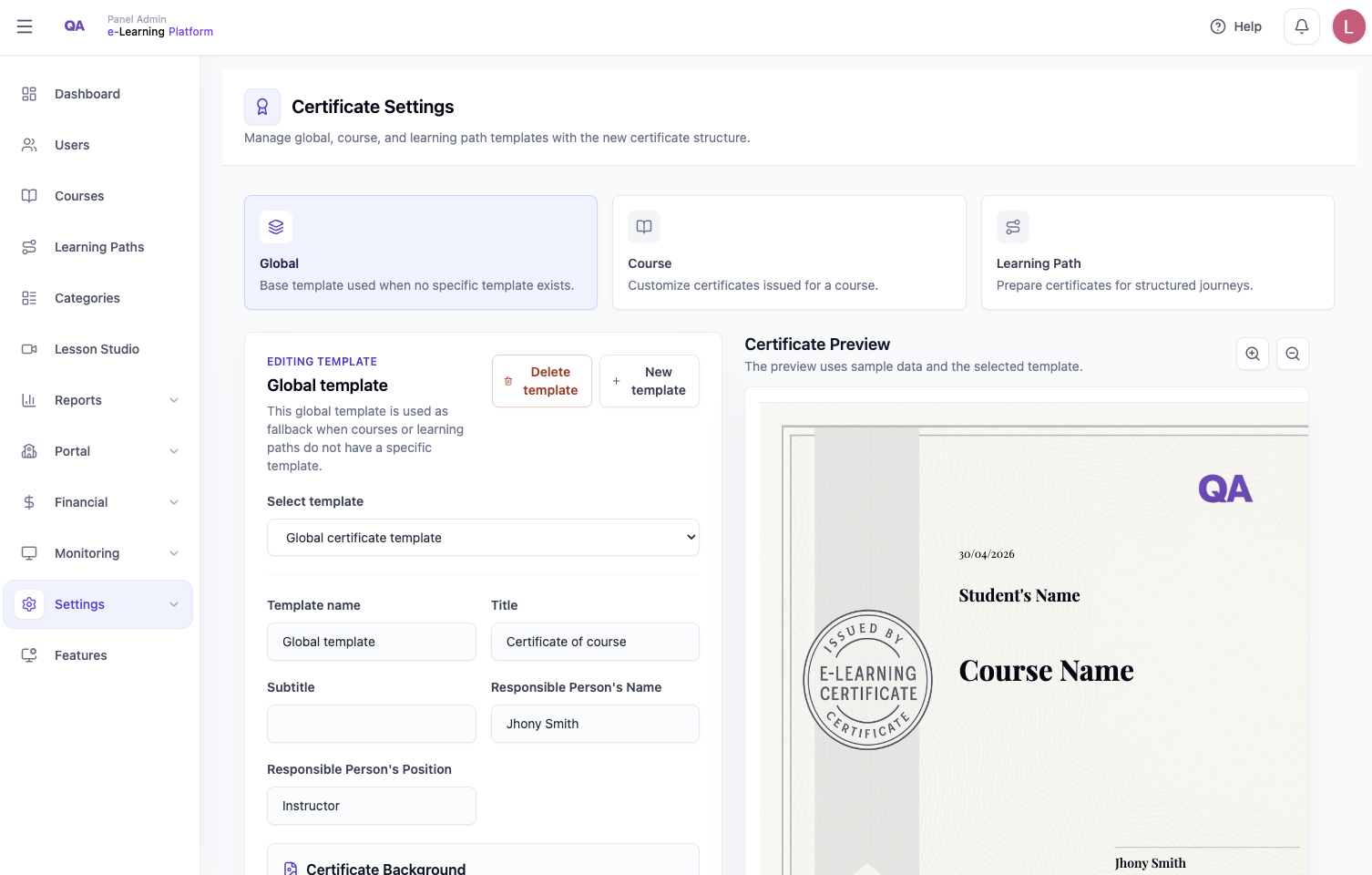
A lightweight visual demo, without login or backend, to show how companies create training, release access, and track results.
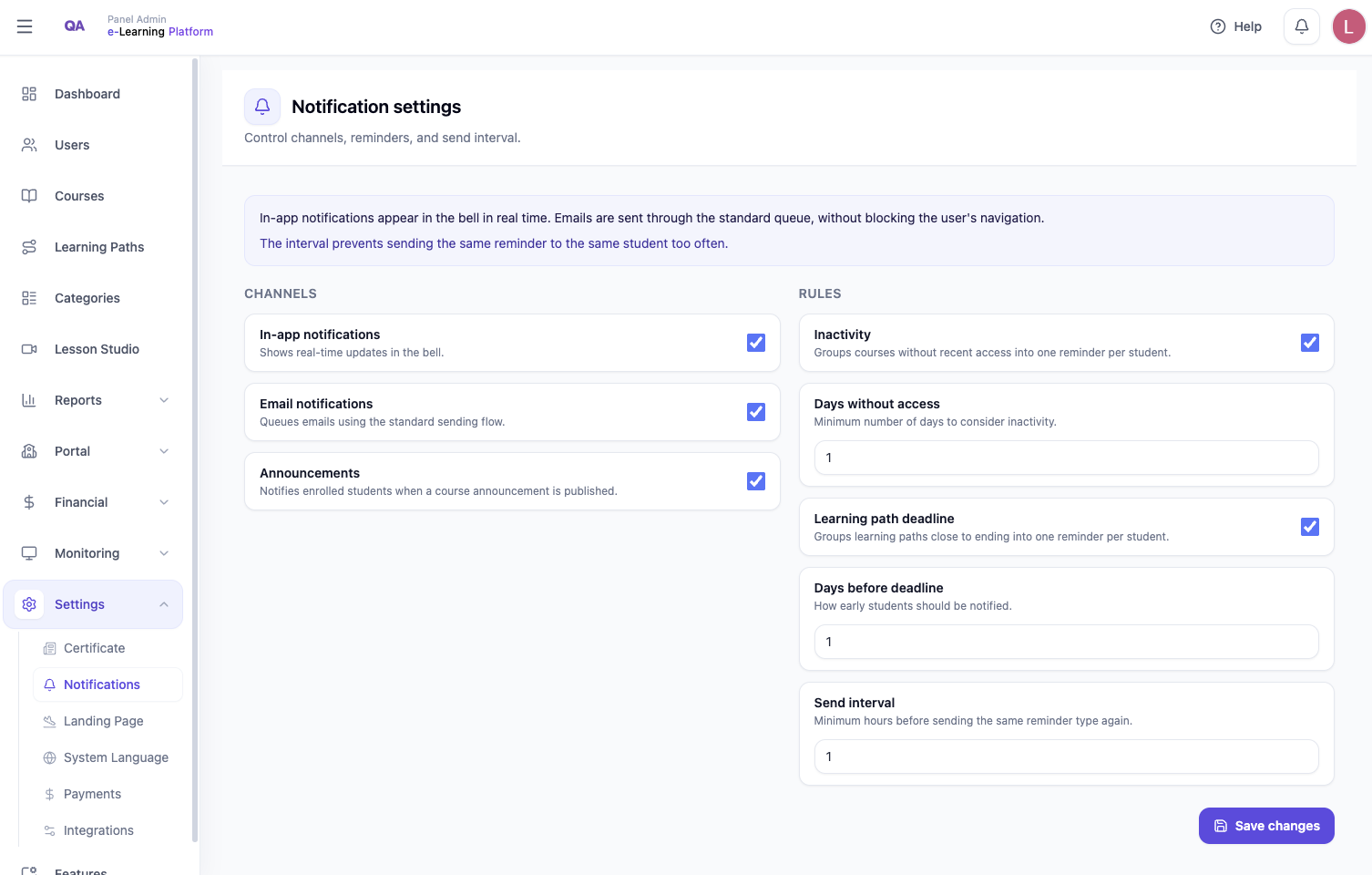
Each company can have its own environment configured with brand identity, language, and communication preferences.
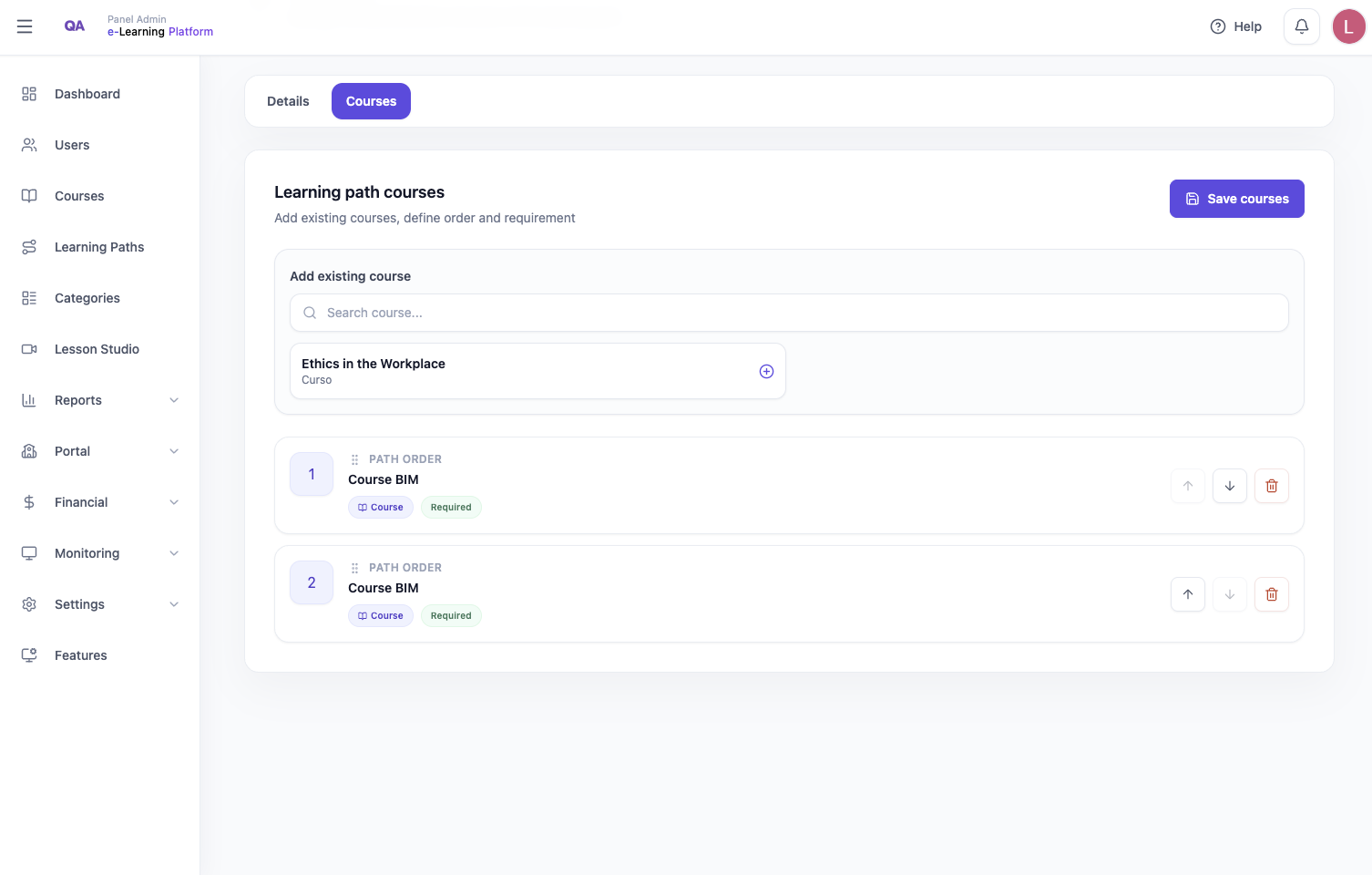
Structure journeys for onboarding, technical enablement, compliance, and ongoing development.
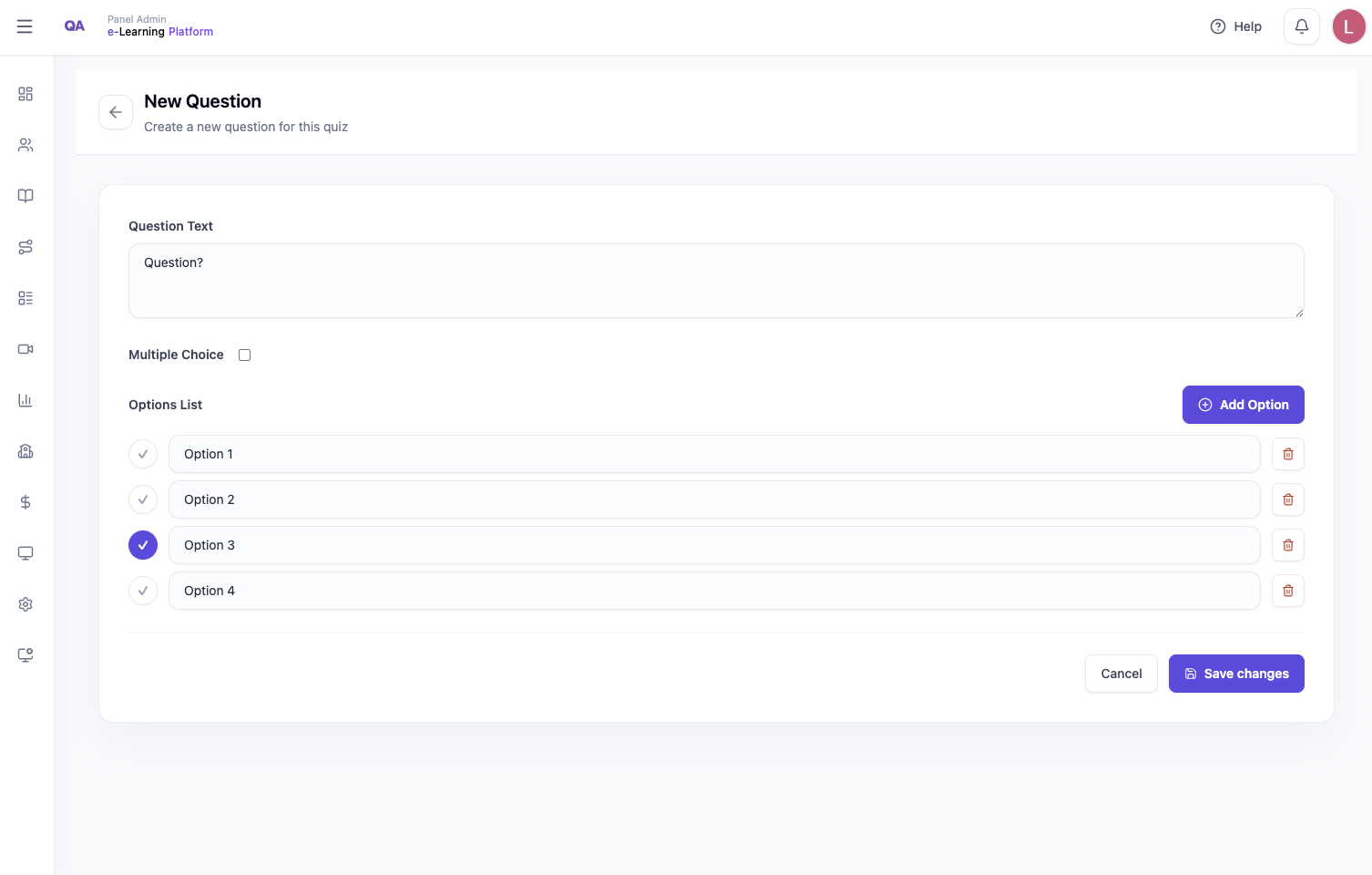
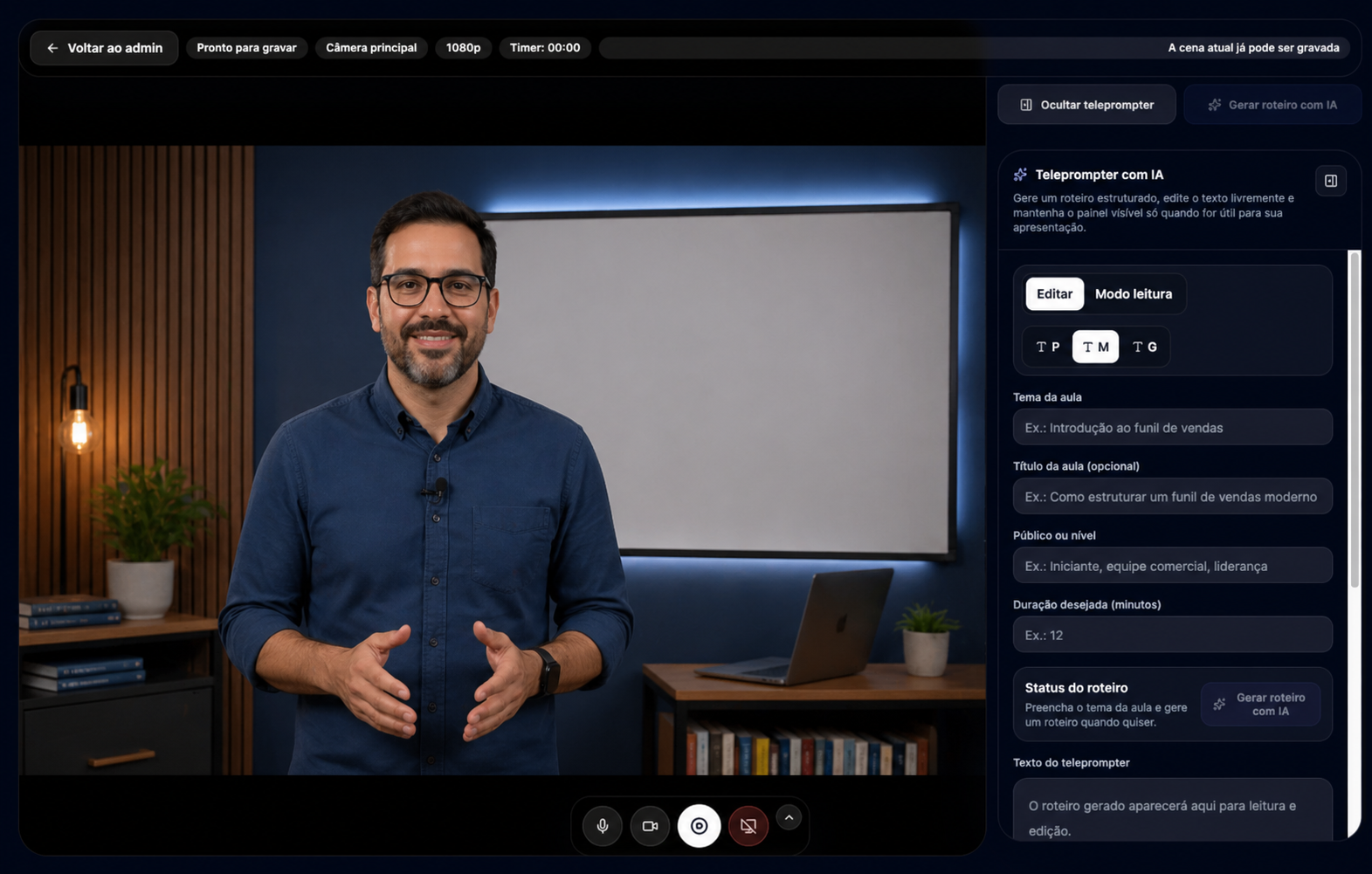
Use AI-powered Lesson Studio to structure supporting materials, scripts, quizzes, and reviewable questions.
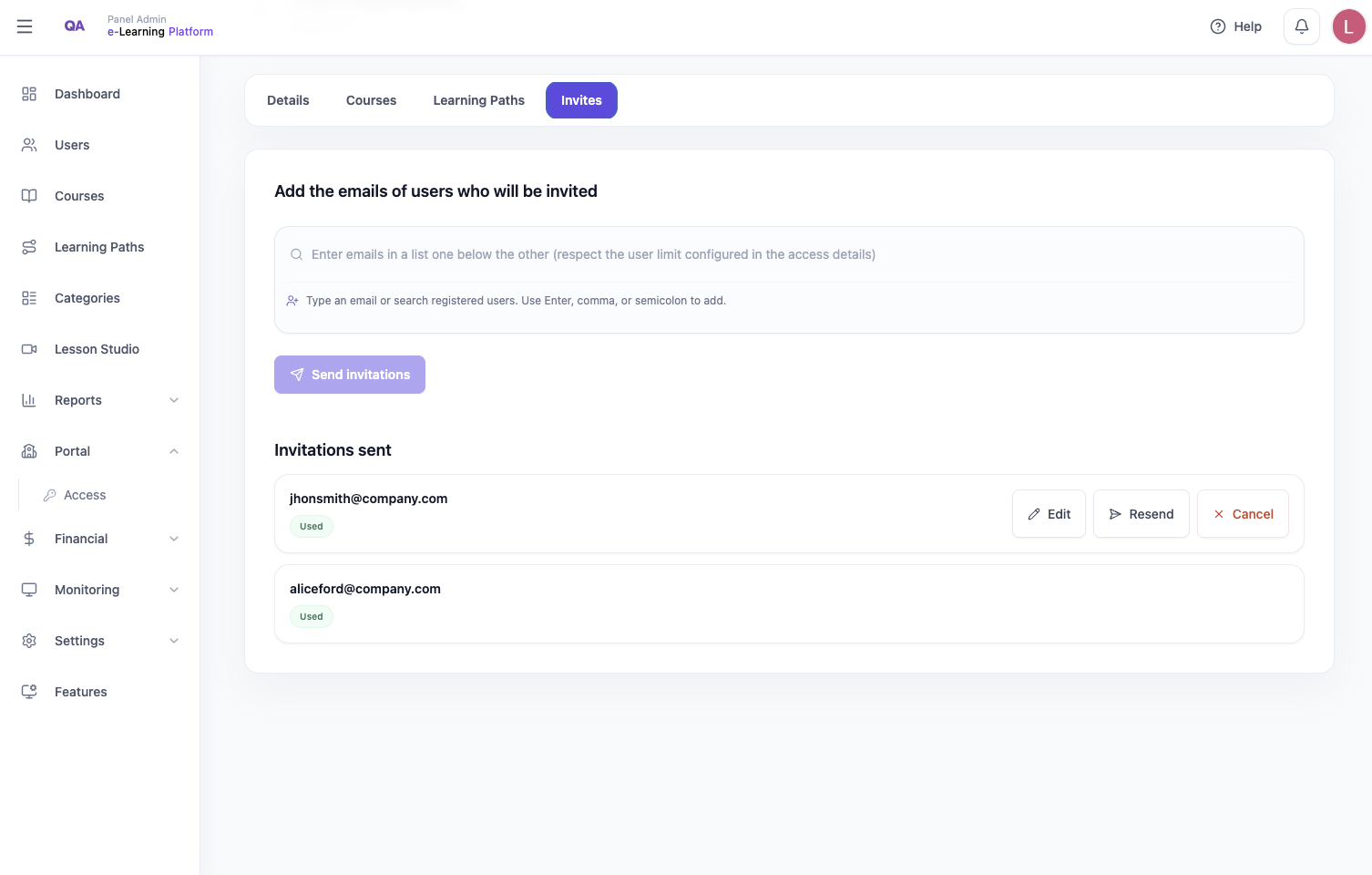
Control who enters each training program with invites, permissions, and access roles.
View learner progress, course completion, and low-progression signals before they become bottlenecks.
Register completions and provide certificates with validation when needed.
Track performance by course, path, and corporate access to support training decisions.
The portal brings together content creation, learner experience, administrative control, and data for managers.
Create courses, organize lessons, and add videos, images, and supporting documents.
Group courses into journeys for onboarding, compliance, technical enablement, and ongoing development.
Learners access training, watch lessons, complete assessments, and follow their progress.
Create quizzes and questions from lesson content, review the suggestions, and publish assessments to track learning.
Use an AI assistant to structure scripts, supporting materials, quizzes, and reviewable questions.
Register completions, issue certificates, and allow public validation when needed.
Track progress, completion, course performance, and the overall training operation.
Release training to groups, companies, or specific learners with invites and permissions.
Communicate updates, access changes, and important announcements to keep learners engaged.
Configure brand identity, language, and preferences for each company environment.
Use the AI assistant to structure supporting materials, organize scripts, generate quizzes, and create questions from lesson content. The instructor reviews everything before publishing.
See training progress without relying on spreadsheets. Track progress, completion, course performance, and the overall learner view.
Each company can have its own configured environment to organize users, permissions, and communication.
Separate administrators, instructors, and learners with the right permissions.
Send invites and control who can enter each training program.
Adjust logo, text, and portal images to reflect the brand.
Define language, notifications, and preferences according to the operation.
Learners access courses, watch lessons, complete assessments, follow their progress, and finish training in an organized environment.
Lessons, materials, progress, and assessments stay together so learners can follow training with clarity.
Register completions and issue certificates with public validation when needed.
Use the AI assistant to support scripts, materials, and reviewable quizzes while keeping the instructor in control.
12 questions generated
Modules organized
Base content ready
Clear value from the first visit.
Choose the LMS implementation according to your team size, user volume, and training needs.
For companies starting with courses, users, certificates, and basic training management.
Start for free
Request a demoFor operations that need learning paths, groups, tracking, AI-powered Lesson Studio, and more learning control.
Starter plan available
Request a demoFor larger organizations, multiple departments, integrations, or custom implementation and governance needs.
Talk to our team
Request a demoQuick answers to understand how the corporate LMS portal works in practice.
Yes. It focuses on corporate training, corporate universities, team development, and internal knowledge organization.
Yes. Administrators and instructors can create courses, lessons, descriptions, videos, images, and documents.
Yes. Courses can be grouped into paths to create learning journeys by area, role, or objective.
Yes. The portal includes invites, access release, and administrative user control.
Yes. The system records lesson progress, completion, assessments, and certificates.
Yes. Dashboards and reports help track progress, completion, performance, and an executive view.
Yes. Completions can generate certificates, with public validation when needed.
Yes. Lesson Studio uses an AI assistant to structure scripts, supporting materials, quizzes, and reviewable questions. The instructor stays in control before publishing.
Yes. You can configure brand identity, images, and portal preferences.
Use the demo buttons on the page and fill out the contact form.
See how a complete training platform helps you create courses, organize paths, and track team progress.
Request a demo